×
click anywhere or press Esc to close
Slide Mode
Exit ×
▶
Slide Mode
Power BI Overview
REACH Webinar Series 2026 — Session One
// Robert Pilgrim, Ph.D.
↓
PBI
Who am I
Purpose
Data Note
Framework
Workflow
Desktop
Service
Get Data
Transform
Data Model
DAX
Deploy
Workflow
Let's Build
Demo
Who am I
Robert Pilgrim, Ph.D. | rpilgrim@uark.edu
Associate Director of Data Strategy and Insights
Office of Sponsored Programs, UARK
B.Sc Astrophysics | Ph.D. Space Science
rpilgrim.com
|
LinkedIn
|
Substack
Purpose of these Webinars
Met many people:
Conferences / Summits
Workshops / presentations
REACH mentoring
Most people just need help starting
A Note on Data
BIG friction "no data access"
Dummy data or public data (ASU)
No direct system access needed
Federal: HERD, IPEDS, SBIR/STTR
Let's get started...
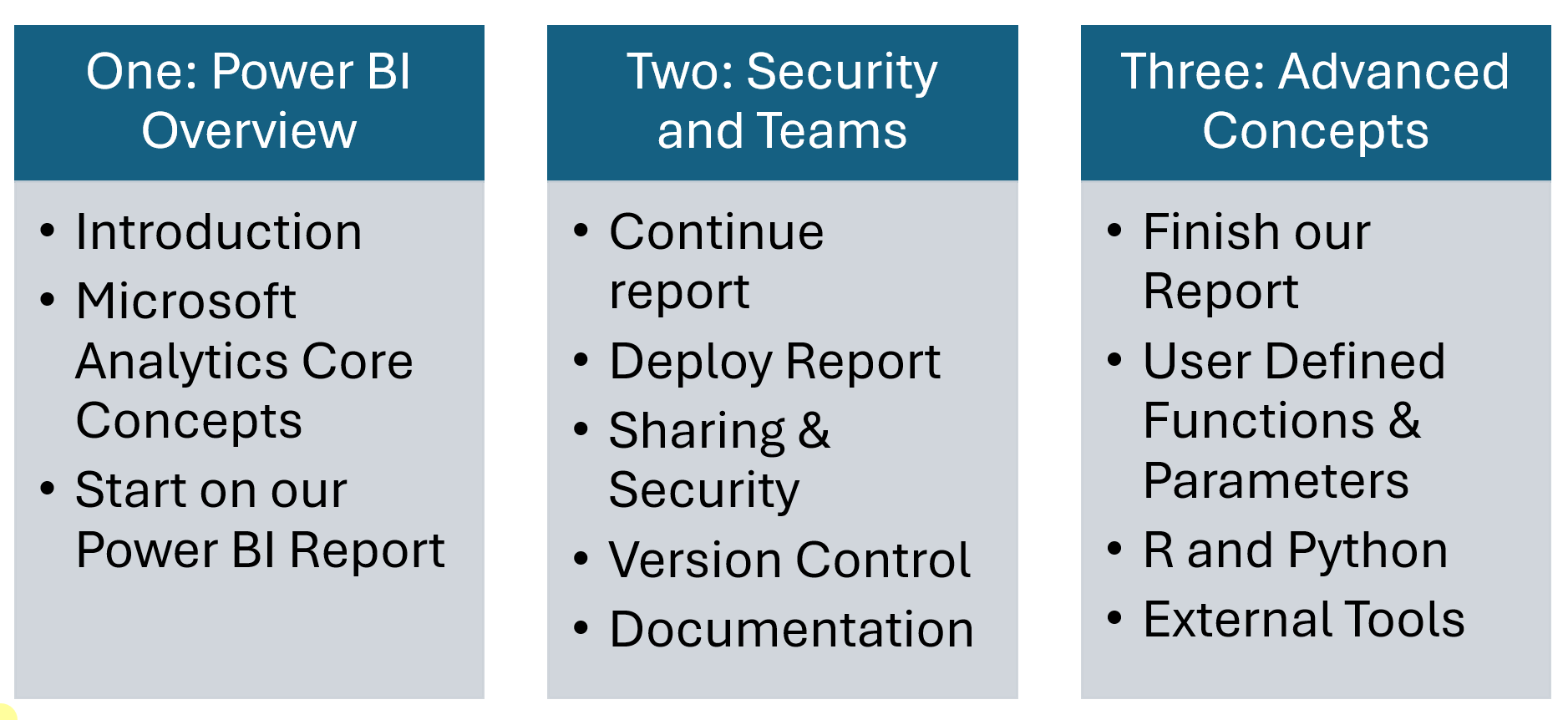
Session Framework
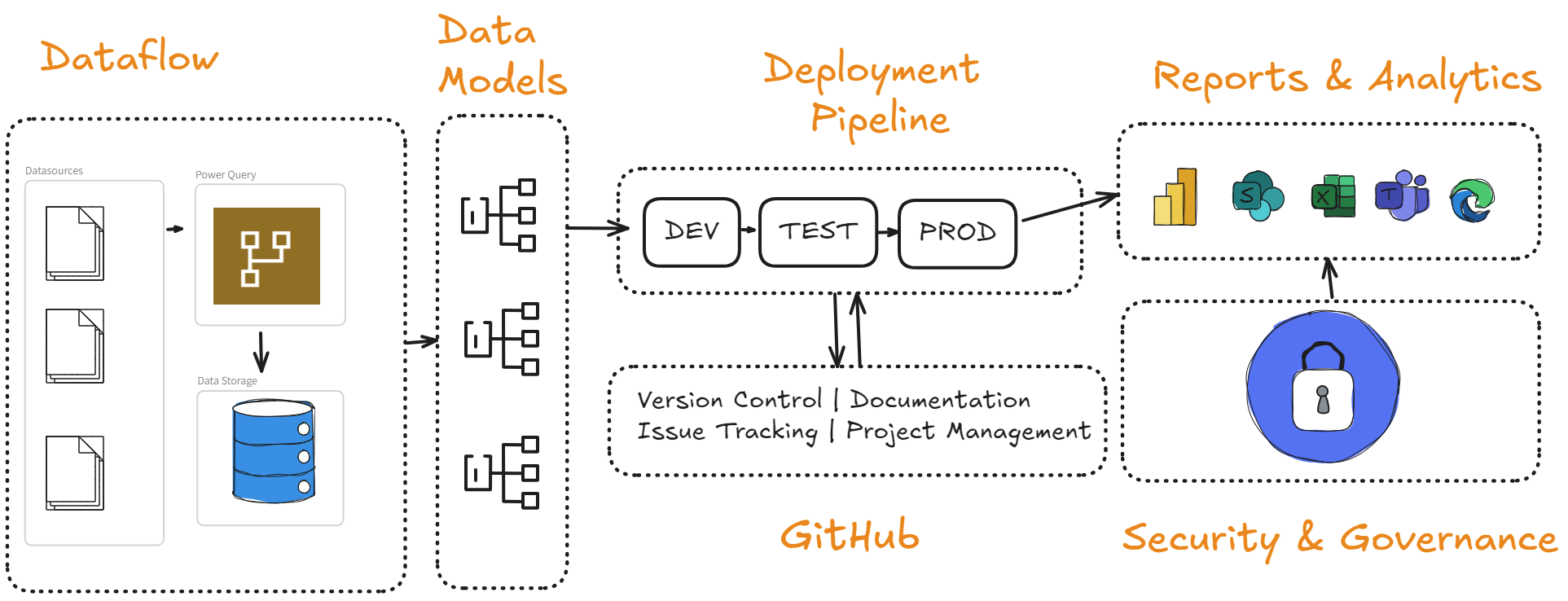
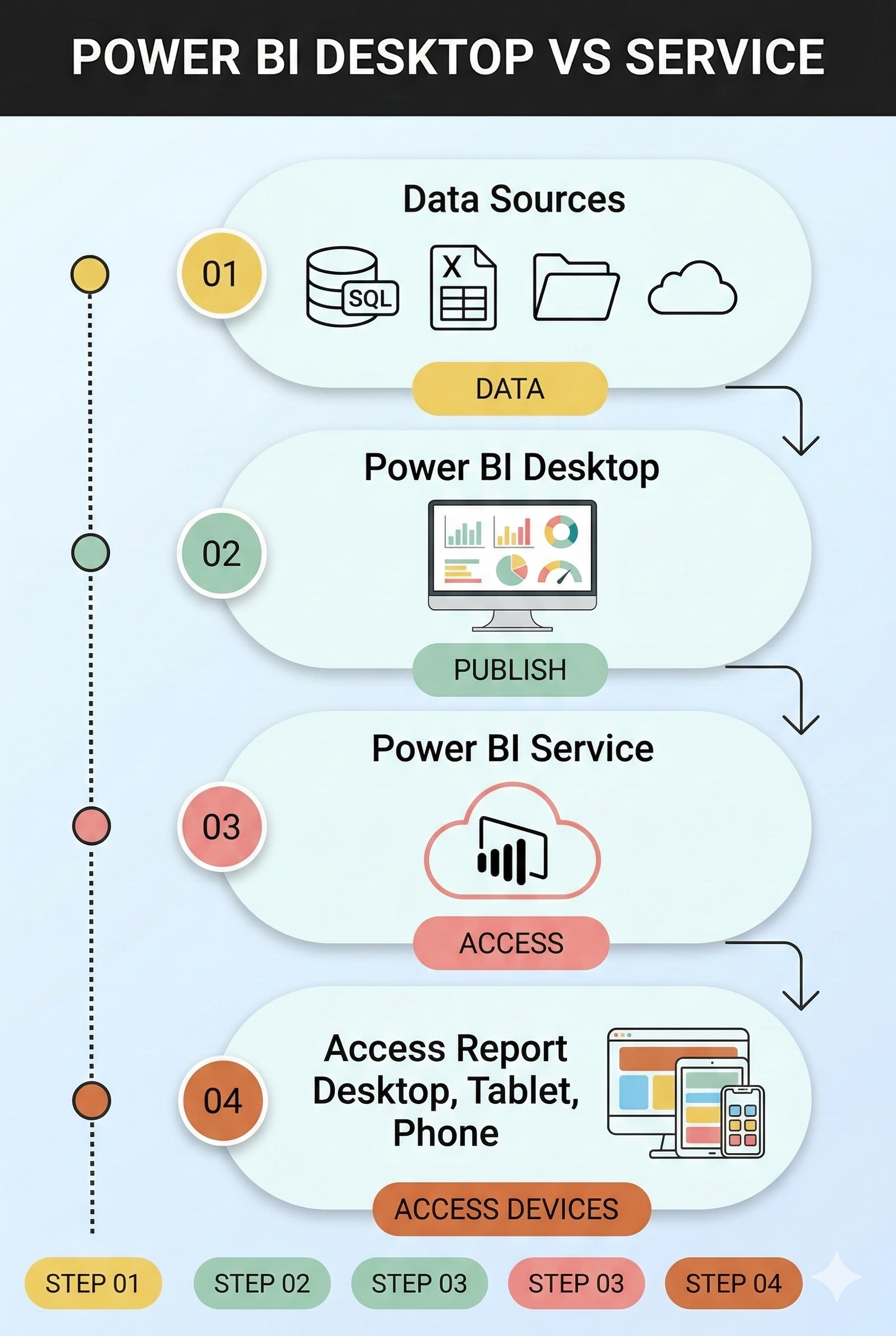
Simplified Data Workflow
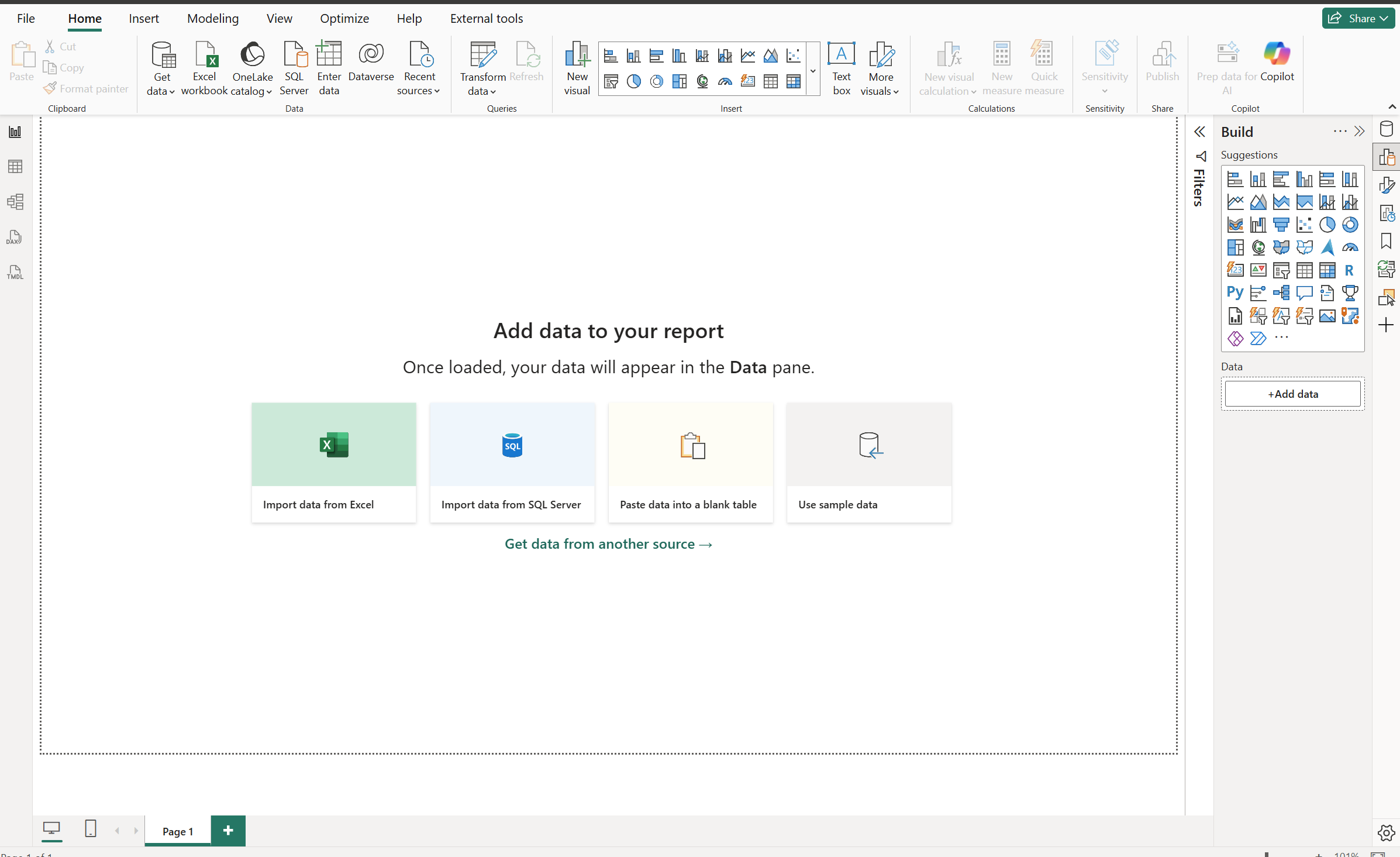
Power BI Desktop
100% Free, no restrictions
Why need a license?
Publishing, sharing, collaboration
Power BI Service
Cloud based
Share / Collaborate
Microsoft campus?
app.powerbi.com
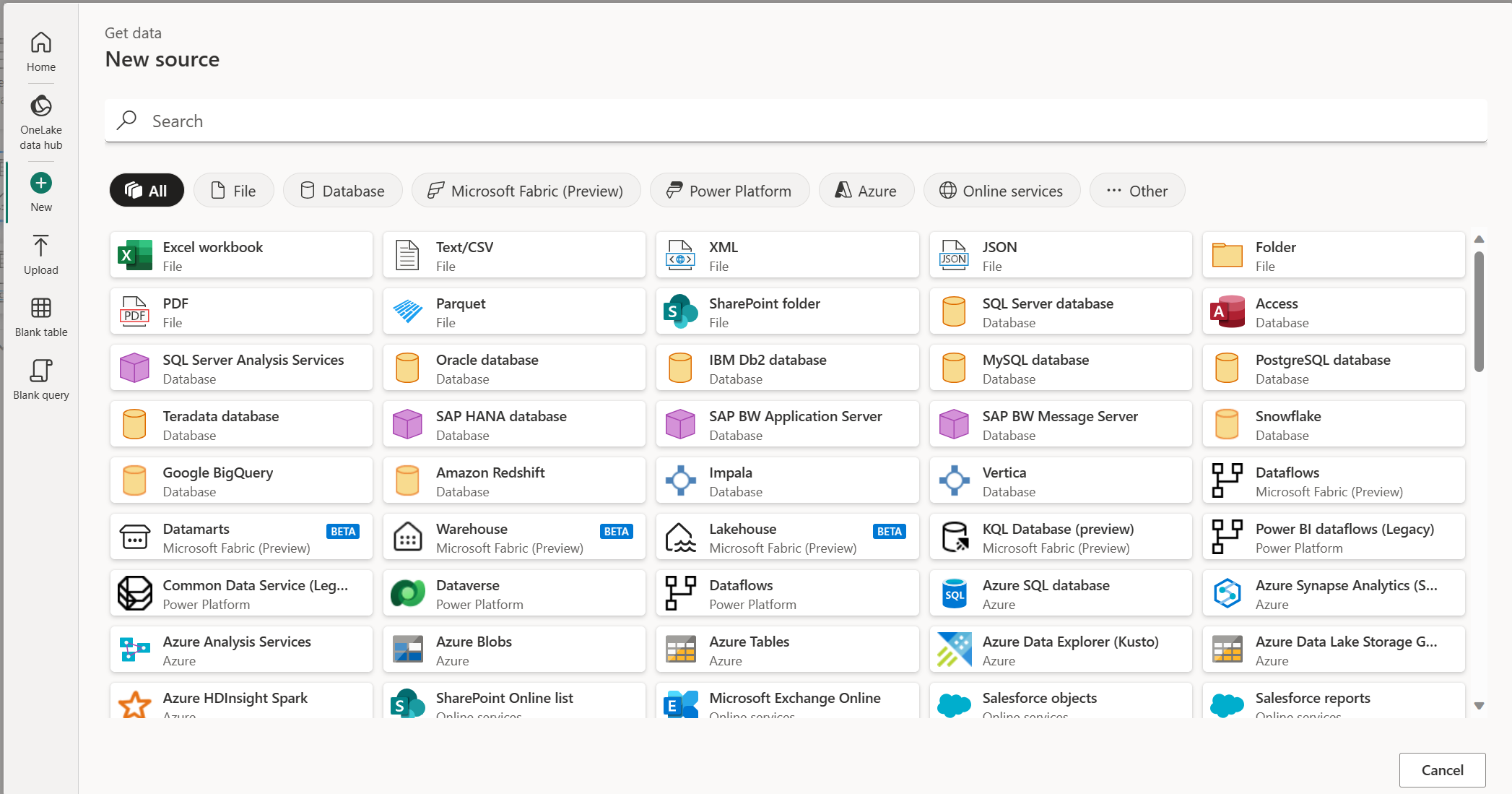
Power Query Get Data
Wide range of data sources
Same cloud / desktop / Excel
Code / No-code
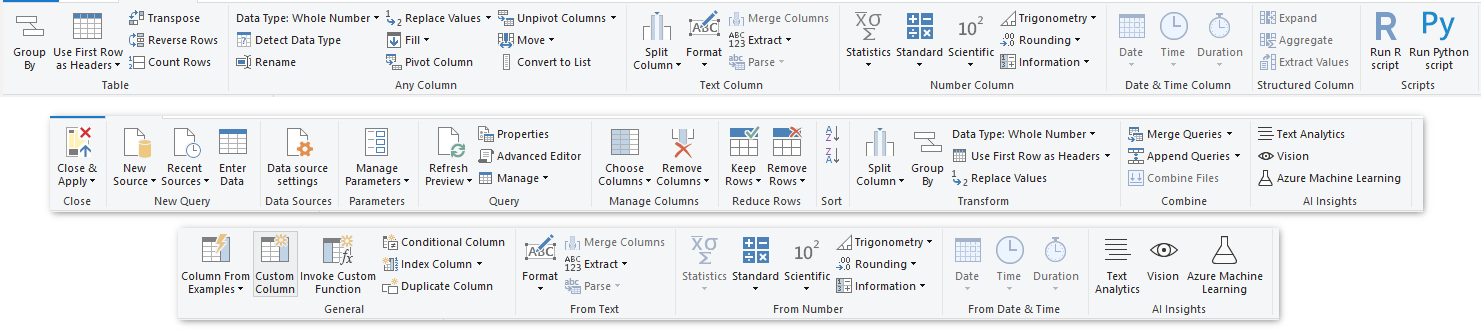
Power Query Transform your Data
Connect, Clean, Transform and Merge
Code directly or GUI
Python, R and SQL
The Data Model
Relationships NOT merging
Similar to SQL relationships
Handles very large data
Powered by DAX
Data Analysis Expressions (DAX)
Data Models = BRAINS | DAX = LOGIC
Powerful language
Not
coding, it is an
expression language
Built for cross-data analysis
Examples later
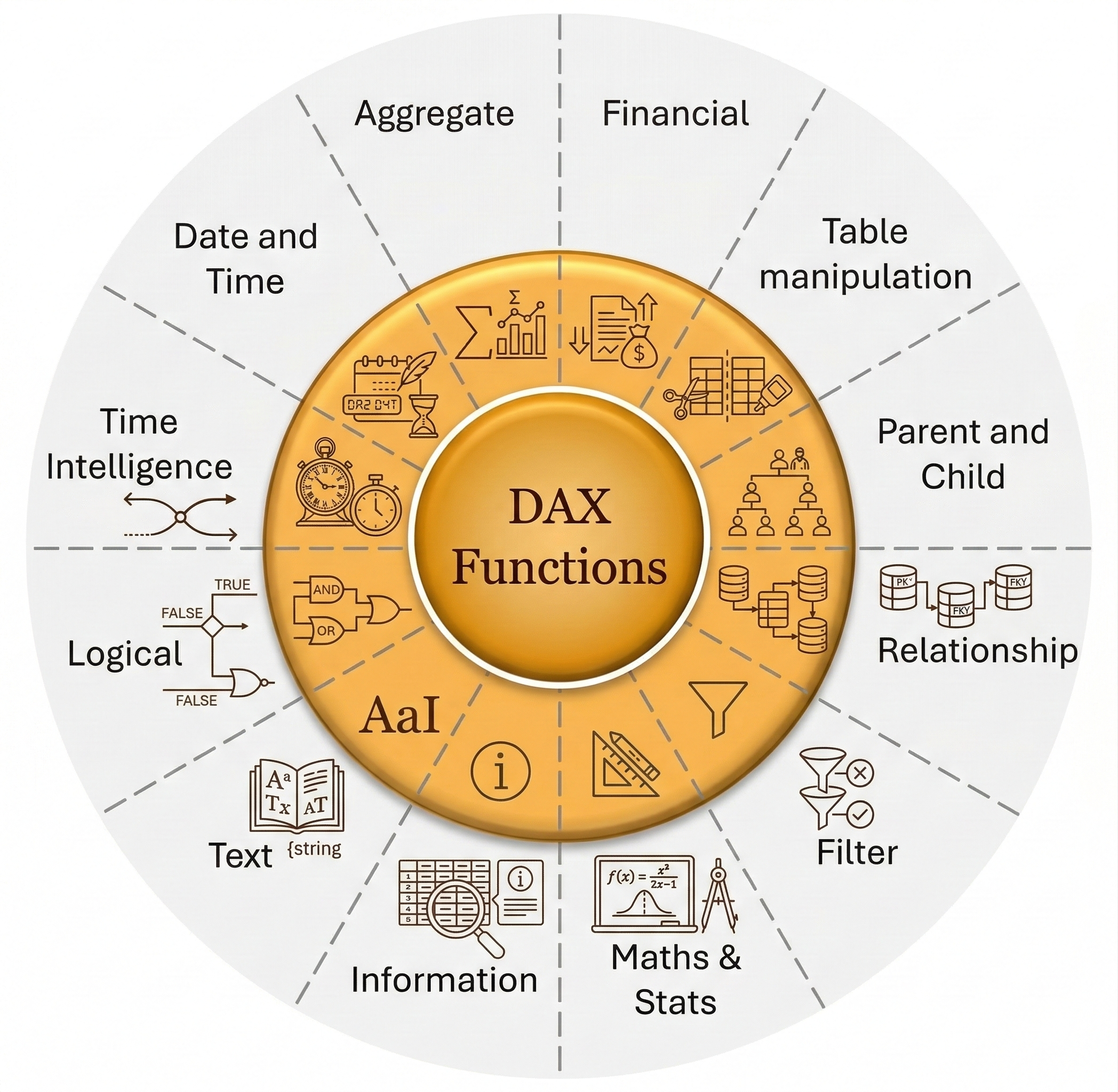
Core DAX Function Groups
DAX function reference
We write DAX later
Date and Time
Filter
Time Intelligence
Deployment Models
Single report does everything
NOT scalable, breaks easily
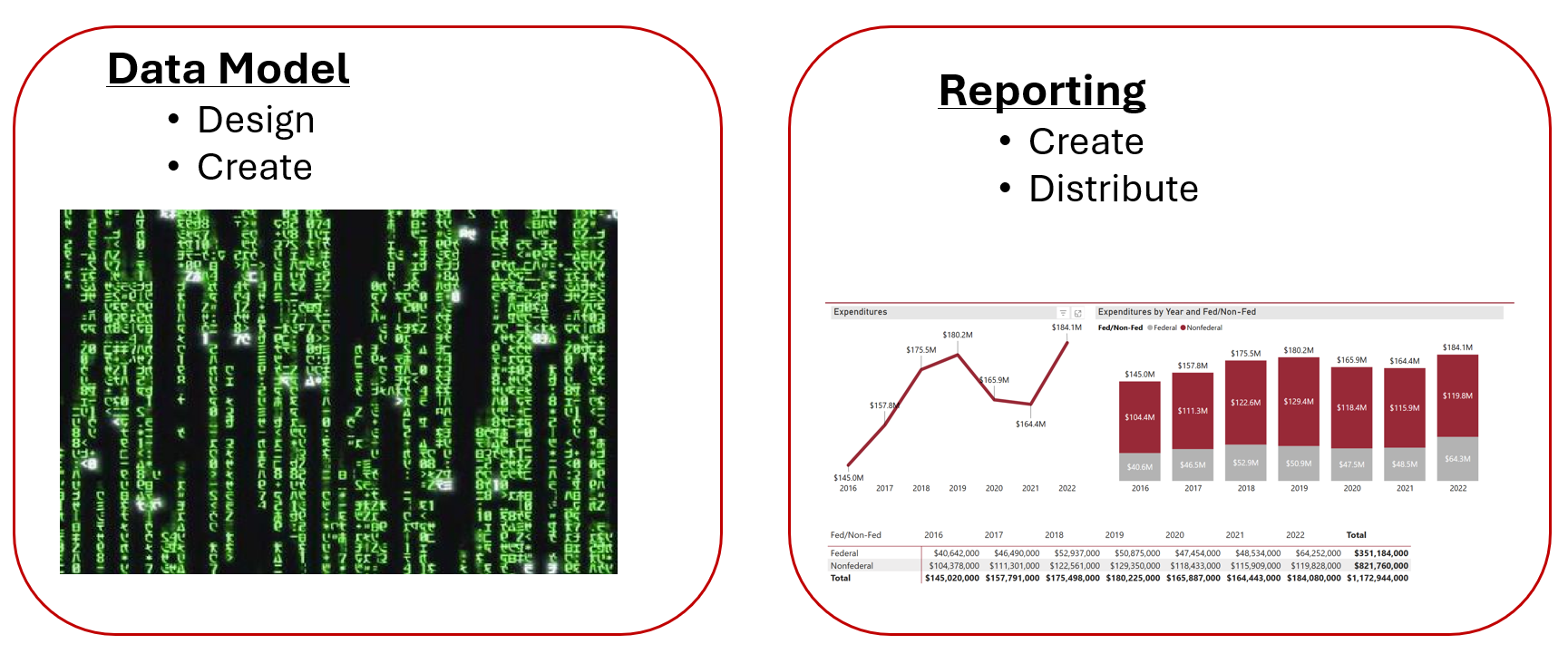
SPLIT into 2 buckets
Data Models | Reporting
Is it Time to Split the Data model from the Report?
Multiple reports, same data?
Easy to refresh?
What if data source changes?
Local files or cloud?
The Data Model as Foundation
The Brain (Remember connect not merge)
Reporting Layer
Multiple reports, one data model
Same data, different story
Executive
OSP Director
Department Head
Grant Specialist
Deploying Reports
Report >> Users
Quick one-off share?
How many users?
Need to download data?
Draft or production?
Deployment Options
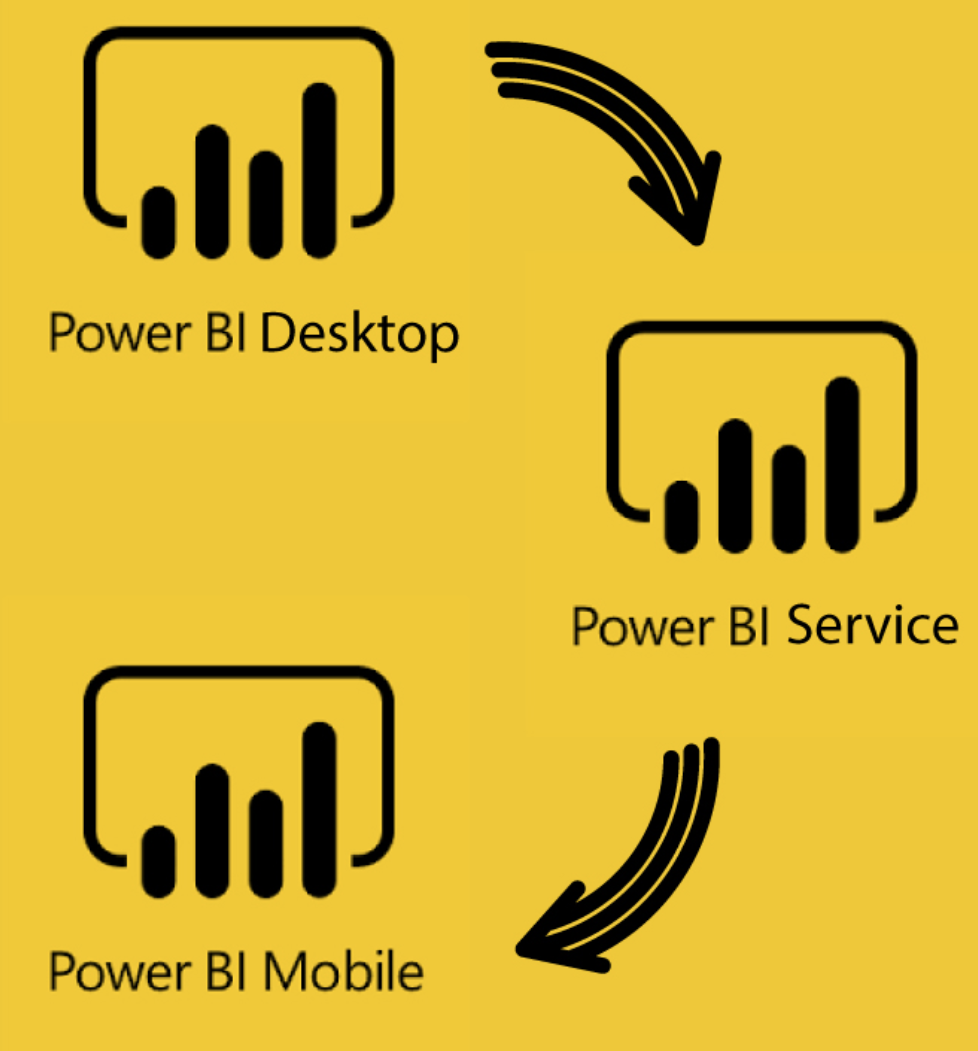
Power BI Service Workflow
Desktop >> Workspace >> Service >> APP >> Mobile
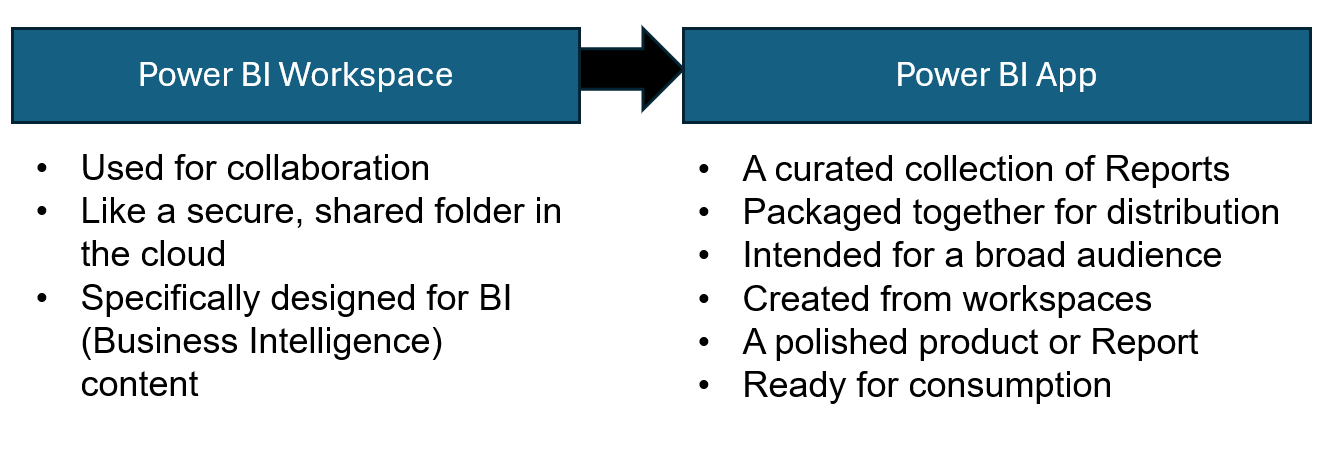
Primary way to share
Workspace:
Staging area, build and test
Apps:
Polished reports for end-users, access control
Mobile:
Apple and Android
Let's Build a Report
Any questions?
This report will be used each session
Download file and data here
Final file: XXX
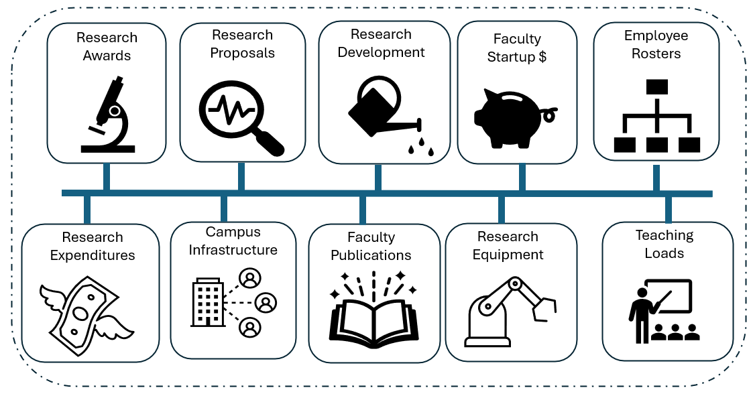
The Data
Dummy proposals data
Demo Live
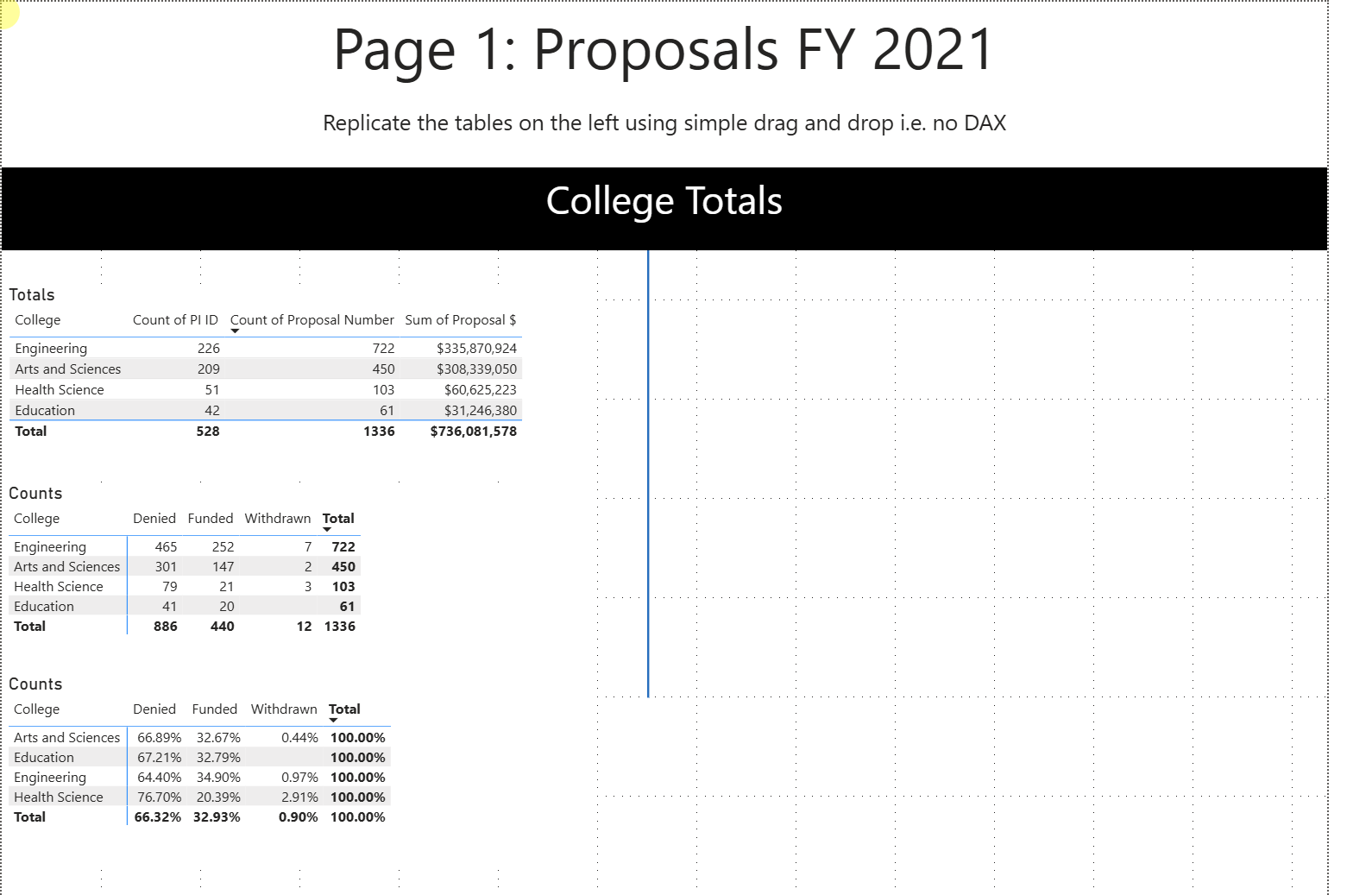
Page-1
Replicate the tables on the left
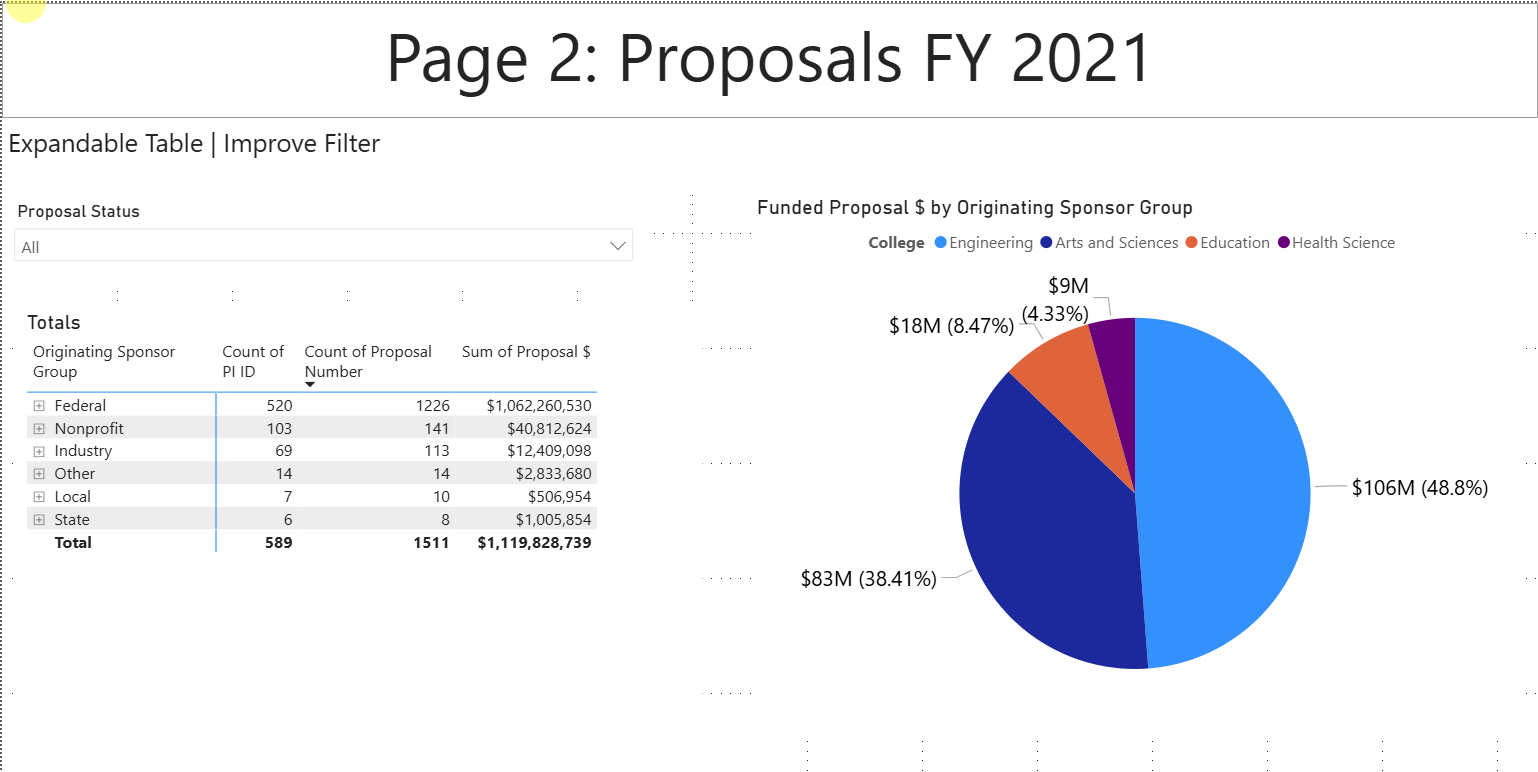
Page-2
Expandable table
Filter improvements
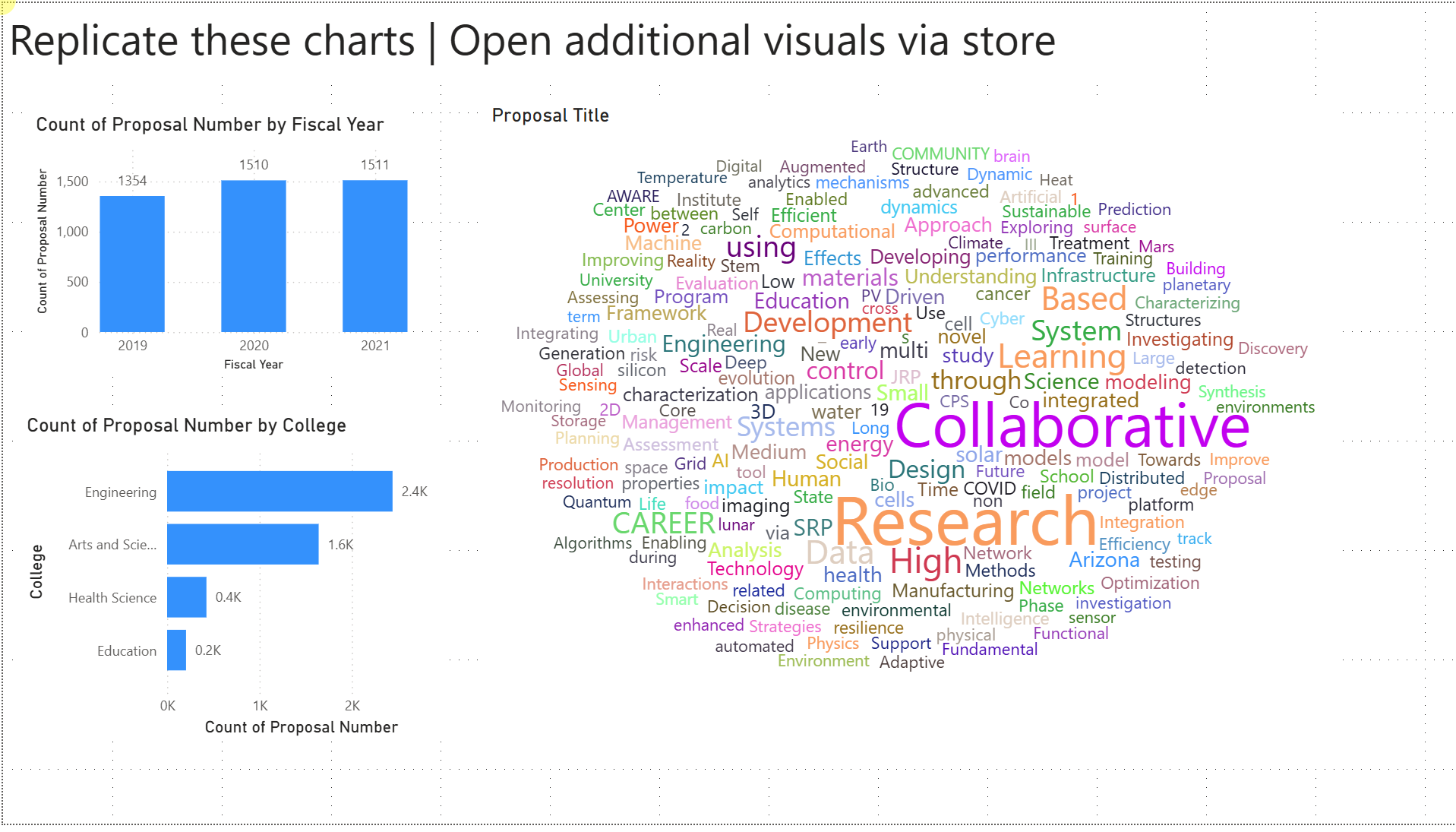
Page-3
Additional visuals from store
Live Demo Page 1
Live Demo Page 2
Live Demo Page 3